Transforming MCP Servers to Gemini CLI Extensions
Overview
Hey there! This codelab walks you through the steps required to convert MCP servers into extensions for Gemini CLI. We begin with creating a super simple MCP server and then convert it to an extension.
Requirements
In order to follow this codelab, you'll need the following:
- Locally installed Gemini CLI
- Locally installed Python
- Locally installed nodejs
- (Optional) Astral UV installed locally, to run pip installs faster. If not, just remove
uvfrom theuv pipcommands. - (Optional) A Google Cloud Project with billing enabled.
This codelab assumes you're on a Linux environment (Mac/Windows WSL/linux distros, etc.). If you're on Windows or any other operating system, you may have to substitute some of the commands to make them work.
For example:
On Linux:
source .venv/bin/activate

On Windows:
1. If you're using command prompt: venv\Scripts\activate.bat
2. If you're using Powershell: .\venv\Scripts\activate.ps1
File paths might also differ accordingly, please check documentation of tools for best guidance specific to your system.
Setup Repo
Let's setup our repository for the day.
We'll be working with this repository - https://github.com/xprilion/fastmcp-sample
Clone it using:
git clone [email protected]:xprilion/fastmcp-sample.git
Now, let's set it up.
uv venv
source ~/.venv/bin/activate
uv pip install -r requirements.txt
With this done, we're ready to setup Gemini CLI!
Setup Gemini CLI
Next, we'll setup Gemini CLI.
Follow the installation instructions on this page - https://geminicli.com/docs/get-started/installation/
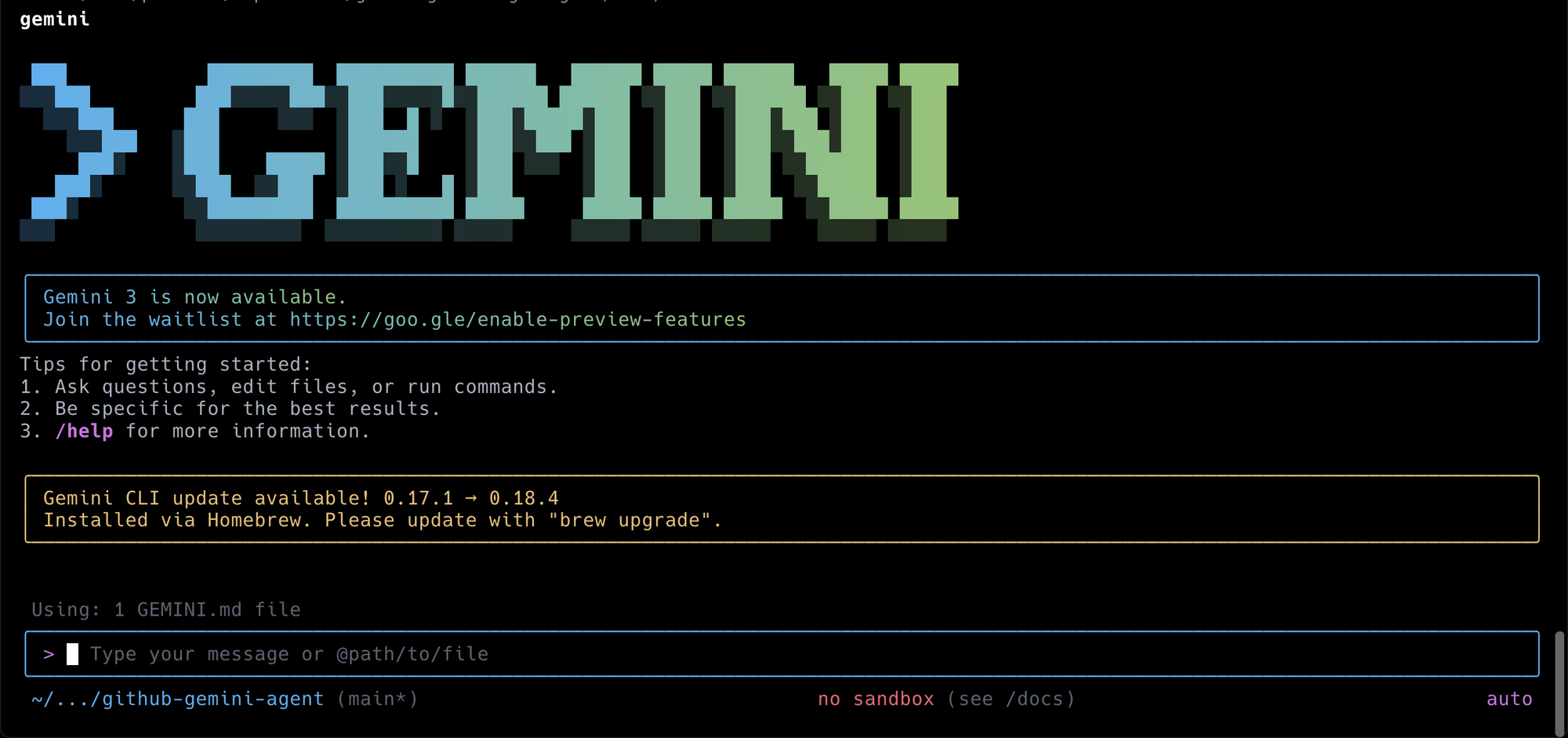
Whn done, you should be able to run the following command -
gemini
This should bring up the following on your terminal:
Run MCP Server
For this, you'll need 2 terminal windows.
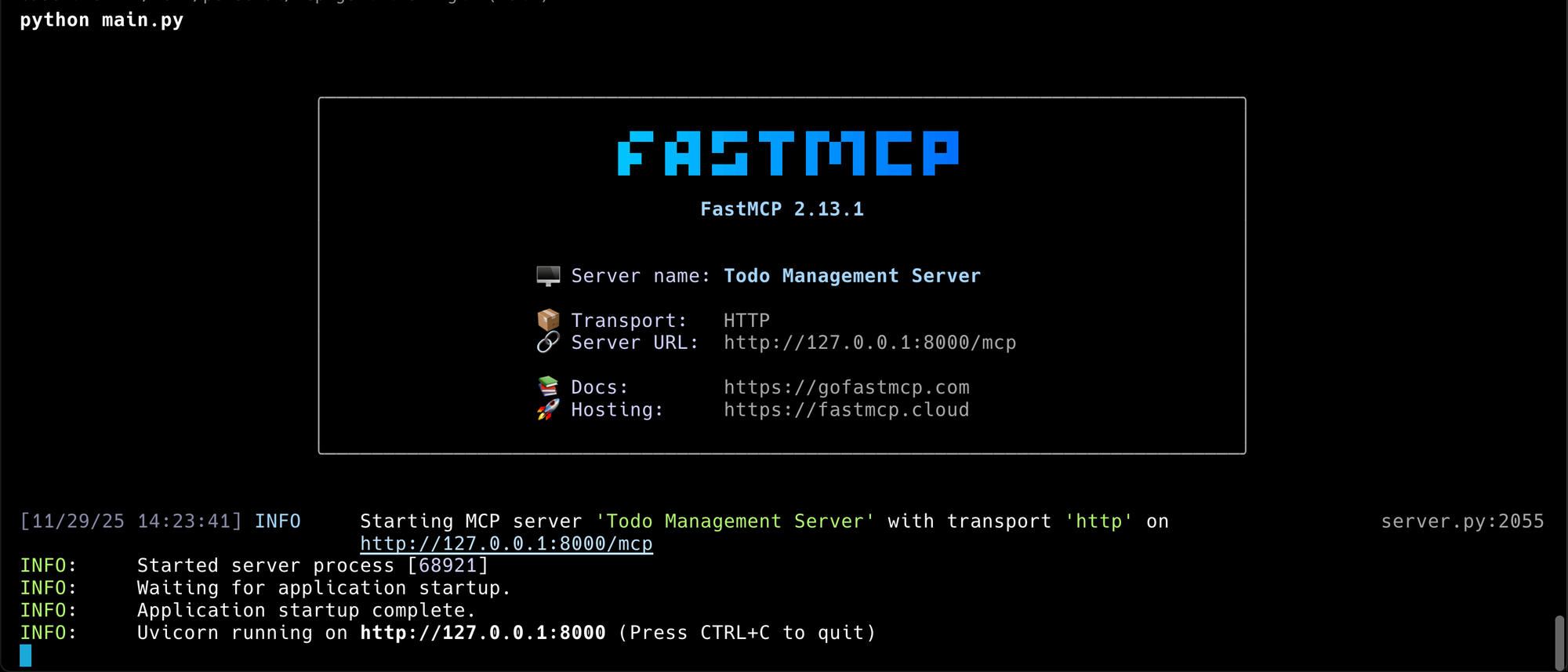
On the first terminal window, run the following to start the MCP server.
python setup_db.py # <- Run this only once, at first run, then never again

python main.py
This will start the server as shown below:
MCP with Gemini CLI
Now, you can add the MCP server to your Gemini CLI instance. On a new terminal window, create a Gemini settings configuration with the following commands:
mkdir .gemini
cd .gemini
nano settings.json

## Windows users may not have nano, use alternative code editor
And then add the following to that file:
{
  "mcpServers": {
    "todo-server": {
      "httpUrl": "http://localhost:8000/mcp",
      "trust": true
    }
  }
}
After this, if you run the following command:
gemini
/mcp list # <- inside the gemini shell
Then you should see the following tools being displayed as an active MCP server:
 In case it shows up as disconnected, retrace your steps.
Deploy the MCP Server
This step is optional.
Now, you need to deploy the MCP server before you can remotely access it as an extension.
Run the following with gcloud cli installed on your system.
gcloud run deploy
Then follow the prompts on the screen to deploy the repo.
Install as extension
Head to https://github.com/xprilion/fastmcp-gemini-ext
If you performed the deployment in the previous step, you'll need to follow the instructions on the README of the above Github repo. Else, you can simply use the existing repo.
Run
gemini extensions install https://github.com/xprilion/fastmcp-gemini-ext
This will install the extension to Gemini CLI.
Now, you can again verify the extension installation with
gemini
/extensions list
And get the following output
> /extensions list

Installed extensions:
  todo-ext (v0.1.0) - active (update available)
Conclusion
Congratulations on making it here! 🎉
In the duration of the codelab you've learnt -
- How to create MCP servers with FastMCP
- How to deploy MCP servers with Google Cloud Run
- How to install Gemini CLI
- How to create Gemini CLI Extensions
- How to install and use Gemini CLI Extensions
What's Next?
You can explore the entire codebase here:
GitHub - xprilion/fastmcp-sampleContribute to xprilion/fastmcp-sample development by creating an account on GitHub. GitHubxprilion
 GitHubxprilion